
How to Turn an Excel Order List Into a Picking Workflow
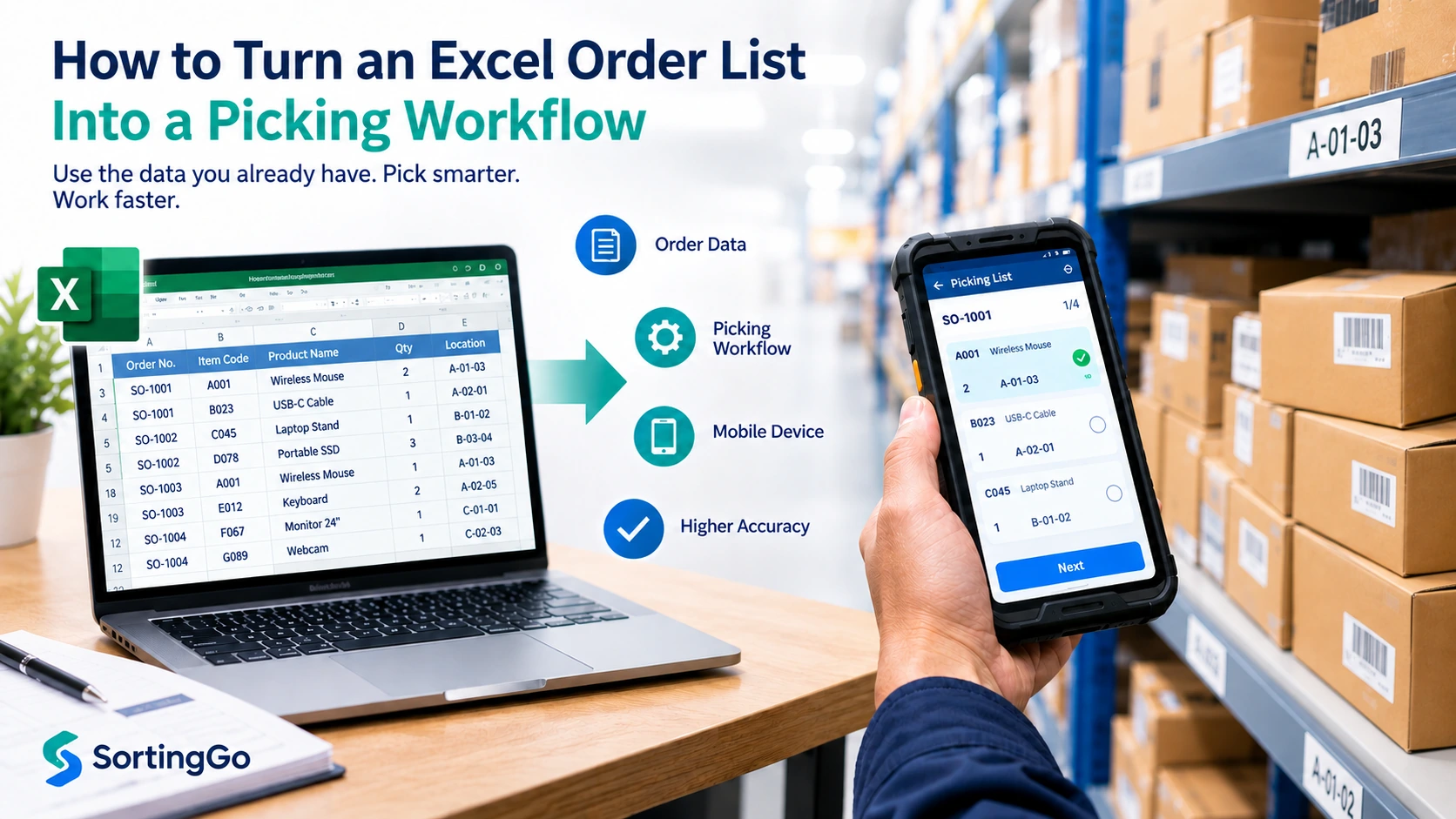
If your orders already live in Excel, you may not need to replace the spreadsheet just to improve the way your team picks orders.
For many small warehouses, wholesalers, group-buying operators, food distributors, and ecommerce teams, the real friction begins after the order data is ready: someone prints the spreadsheet, carries the paper through the work area, checks rows by hand, and later tries to reconcile what was completed.
A more practical first step can be to keep Excel as the source of order data while moving the execution of picking to a digital workflow.
In simple terms, the path becomes:
Excel or CSV → structured picking tasks → mobile guidance → digital confirmation
That is different from simply opening a spreadsheet on a phone. A useful picking workflow should tell the worker what to do next, preserve the context they need, and make completed work clear.
What does an Excel picking workflow actually mean?
An Excel picking workflow uses the order information already stored in a spreadsheet as the starting point for operational picking tasks.
A spreadsheet is designed primarily to store and organize data. A picker, however, needs instructions that are easy to act on while moving through products, shelves, boxes, or customer orders.
A practical workflow therefore needs to answer a few simple questions:
- What item should I pick?
- How many should I pick?
- Which order or customer is this for?
- Is there a specification, unit, or note I need to know?
- What comes next?
- Has this task already been completed?
The important change is not the file format itself. It is the transition from rows of data to actions that can be followed and confirmed.
For example, an order spreadsheet may contain hundreds of rows. Instead of asking a worker to scan those rows manually, a digital workflow can organize the relevant information into a sequence of picking tasks and present the current task on a mobile device.
That creates a process such as:
Excel / CSV → Import → Organize → Pick → Confirm → Complete
Start with the data you already have
Before redesigning your entire order process, look at the spreadsheet you already use.
In many businesses, it already contains most of the information needed for picking. The goal is not to make every spreadsheet identical. It is to identify which columns have operational meaning and make sure they can be interpreted consistently.
Identify the fields the picker actually needs
Depending on your workflow, useful fields may include:
- Order number
- Customer name
- Customer code
- Product code
- Product name
- Specification
- Quantity
- Unit
- Order notes
Not every business needs every field.
A small group-buying operation, for example, may care mostly about customer, product, quantity, and notes. A wholesaler may depend more heavily on product codes, specifications, units, and order numbers.
The best picking view is usually not the one that shows the most information. It is the one that shows enough information for the worker to make the correct next action.
Keep one clear meaning per column
A spreadsheet becomes much easier to turn into a digital workflow when its columns are consistent.
For example:
- Keep quantity in a quantity column rather than embedding it in a product description.
- Use consistent column headers.
- Keep product codes and product names in separate fields when both are important.
- Avoid layouts that rely heavily on merged cells or visual formatting intended only for printing.
- Preserve order and customer identifiers when they are available.
You do not need to build a perfect database before testing digital picking. You do need enough consistency for the workflow to understand what each value represents.
Convert spreadsheet rows into actionable picking tasks
This is the step that separates a spreadsheet from a real picking workflow.
An Excel sheet is organized for data. A picking process must be organized for action.
Suppose your spreadsheet contains 200 order lines. Showing all 200 lines on a small screen does not automatically make the process digital in a useful sense. The worker still has to find the correct row, interpret it, remember where they are, and decide what to do next.
Those four small demands — find, interpret, remember, decide — are where most Excel picking mistakes come from. How to reduce picking errors in Excel workflows works through the five most common ones.
A better execution layer can turn those rows into a sequence.
Each task might present:
- the current product
- specification
- required quantity
- customer or order context
- relevant notes
- a clear way to confirm completion
The workflow can then advance to the next task.
How those tasks should be organized depends on the operation.
Picking by order
In an order-oriented workflow, the worker gathers the items required for one customer or order before moving to the next.
This can be easy to understand and works well when orders are handled individually.
The original Excel rows may still contain all the data, but the execution view groups the relevant lines around the current order.
Picking across multiple orders
In other situations, repeatedly returning to the same product location for different orders may be inefficient.
The same source data can sometimes be organized around products or another operational sequence, allowing the worker to handle related picking work together before the items are distributed to their final orders.
The right method depends on your products, layout, order volume, and downstream process. The key point is that the spreadsheet does not have to dictate the order in which the physical work is performed.
Already have your orders in Excel? See how SortingGo works with existing order data.
Move the picking list from paper to a mobile device
Many spreadsheet-based operations are already digital at the office desk but become paper-based on the warehouse or packing floor.
The process often looks like this:
Excel → Print → Carry paper → Find row → Pick → Mark with pen → Repeat
A mobile picking workflow changes the execution step:
Excel → Import → Present task → Pick → Confirm digitally → Next task
| Paper-based step | Digital workflow equivalent |
|---|---|
| Print spreadsheet | Import order data |
| Read rows manually | Present an actionable task |
| Mark with pen | Confirm digitally |
| Find the next line | Move to the next task |
| Reconcile paper later | Keep completion state in the workflow |
This does not mean that every paper process is automatically bad. Paper is simple, familiar, and requires very little setup.
The limitation appears when the working list becomes difficult to follow: many rows, repeated products, changing orders, multiple customers, handwritten marks, or workers who need to keep looking between the list and the items they are handling.
A digital picking list can make the current task and progress state clearer without forcing the worker to navigate a full spreadsheet during the physical job.
If you would rather keep the spreadsheet exactly as it is, our guide on replacing paper on the picking floor without replacing Excel looks at the same step from the other direction.
Add guidance without building a full WMS
A warehouse management system can cover much more than picking.
Depending on the system, a WMS may manage areas such as receiving, inventory, putaway, replenishment, warehouse locations, integrations, labor, and other warehouse processes.
Those capabilities can be important as an operation becomes more complex.
But not every business begins with that problem.
A smaller team may already know where its orders come from and may already be comfortable preparing them in Excel. Its immediate question may simply be:
We already have the orders. How can we make the actual picking process easier to follow?
In that situation, a lightweight execution workflow can be a reasonable intermediate step.
Depending on the tools you choose, useful capabilities may include:
- mobile task presentation
- configurable work sequence
- digital completion
- voice guidance
- barcode verification
- label printing
The goal is not to reproduce every function of a WMS. It is to solve the operational problem you actually have.
If you are still weighing that first step, our comparison of paper picking and digital picking walks through where each one still fits.
Where voice picking can help
Digital picking does not have to mean staring at a screen for every step.
During physical work, repeatedly shifting attention between a shelf, product, container, and phone can interrupt the flow of the task. Voice guidance can provide another way to present information such as a product name, specification, or quantity.
For example, the worker can hear the current task, perform the pick, confirm it, and continue to the next task with less dependence on reading a full list.
SortingGo is designed for teams that already have order data in Excel or CSV and want to turn that data into mobile picking or sorting tasks. Depending on the selected workflow and plan, SortingGo can also provide voice guidance and voice commands during picking.
For more details, see SortingGo Features.
Voice is not necessary for every operation. It is most useful when reducing repeated screen interaction makes the physical workflow easier to follow. Our guide to voice picking explains how voice-guided order fulfillment works in more detail.
A practical Excel-to-picking example
Consider a small business with this order data:
| Order | Customer | Product | Qty |
|---|---|---|---|
| A001 | Customer A | Green Tea | 2 |
| A001 | Customer A | Cookies | 1 |
| A002 | Customer B | Green Tea | 3 |
On paper, someone might print these rows and work down the sheet.
A digital workflow can use the same source data differently.
-
Orders arrive in Excel.
The spreadsheet remains the source of the order information. -
The required columns are identified or mapped.
The workflow recognizes which values represent the order, customer, product, and quantity. -
Tasks are organized for the selected process.
The work might be handled order by order, or organized in another sequence appropriate to the operation. -
The current task is presented on a mobile device.
Instead of searching the spreadsheet, the worker sees the information needed for the current action. -
The worker picks the required quantity.
For example, the task may indicate that Customer A requires two Green Teas. -
The task is confirmed.
Completion is recorded digitally rather than marked on a printed sheet. -
The workflow advances.
The next product or order is presented.
The underlying order data has not disappeared. What changed is the way that data is used during execution.
This distinction matters: digitizing picking is not the same as replacing every system that comes before or after picking.
When should you keep Excel, and when should you consider a WMS?
There is no single point at which every business should stop using spreadsheets.
The decision should depend on the operational problems you need to solve.
Excel plus lightweight digital picking may be enough when
- Your order data already comes from a manageable spreadsheet process.
- The main pain point is executing picking on the floor.
- Your operation is relatively small or straightforward.
- You want to digitize gradually rather than replace the entire workflow at once.
- Complex real-time inventory orchestration is not currently required.
- You want to test a better picking process before committing to a larger system.
A fuller WMS may make more sense when
- Real-time inventory across locations is central to the operation.
- Receiving, putaway, and replenishment need to be tightly system-controlled.
- Complex warehouse-location logic is required.
- Multiple business systems need deep real-time integration.
- Advanced labor or automation orchestration has become important.
A lightweight picking tool and a WMS are not necessarily competing answers to the same problem. They operate at different levels of scope.
For a small business, the useful question is not:
Do we need the most complete warehouse system available?
It is:
What is the smallest practical change that solves our current bottleneck?
A simple checklist before you digitize your picking process
Before changing tools, walk through the current workflow.
- Identify the Excel or CSV file that acts as the order source.
- Decide which columns the picker actually needs.
- Standardize the meaning of important columns and quantities.
- Decide whether work is primarily picked by order, product, or another sequence.
- Decide how workers will confirm each completed task.
- Test the digital workflow with a small batch first.
- Compare the digital process with your current paper process.
- Note where workers still have to stop, search, re-enter data, or repeat work.
- Add more automation only when it solves a real operational problem.
Starting with a small batch is useful because it lets you evaluate the workflow itself before changing a larger part of the operation.
From Excel to a practical picking workflow
You do not necessarily have to throw away Excel to stop picking from paper.
If your spreadsheet already contains usable order data, a practical first step can be to turn those rows into structured tasks that are easier to follow during the physical picking process.
The transition can be straightforward:
Existing order data → structured tasks → mobile guidance → digital confirmation
From there, you can decide whether features such as voice guidance, different picking sequences, barcode verification, label printing, or eventually a broader warehouse system solve problems that actually exist in your operation.
SortingGo is one way to build that bridge for teams that already work with Excel or CSV and want a mobile workflow for picking and sorting.