
Dispatch and progress, managed on one screen
DistributionGo is the dispatch, live-progress and dashboard centre for SortingGo App Standard and Pro.
From order to dispatch in one minute
Organise DG orders, create a batch, check the allocation, then hand the work to a floor worker.

The DG Web steps (batching, allocation and dispatch) are live captures from a test environment with demo data; SortingGo floor work and progress sync are concept visualizations.
Dispatch and reassignment
Give work to the right person, and move it in one click when plans change.
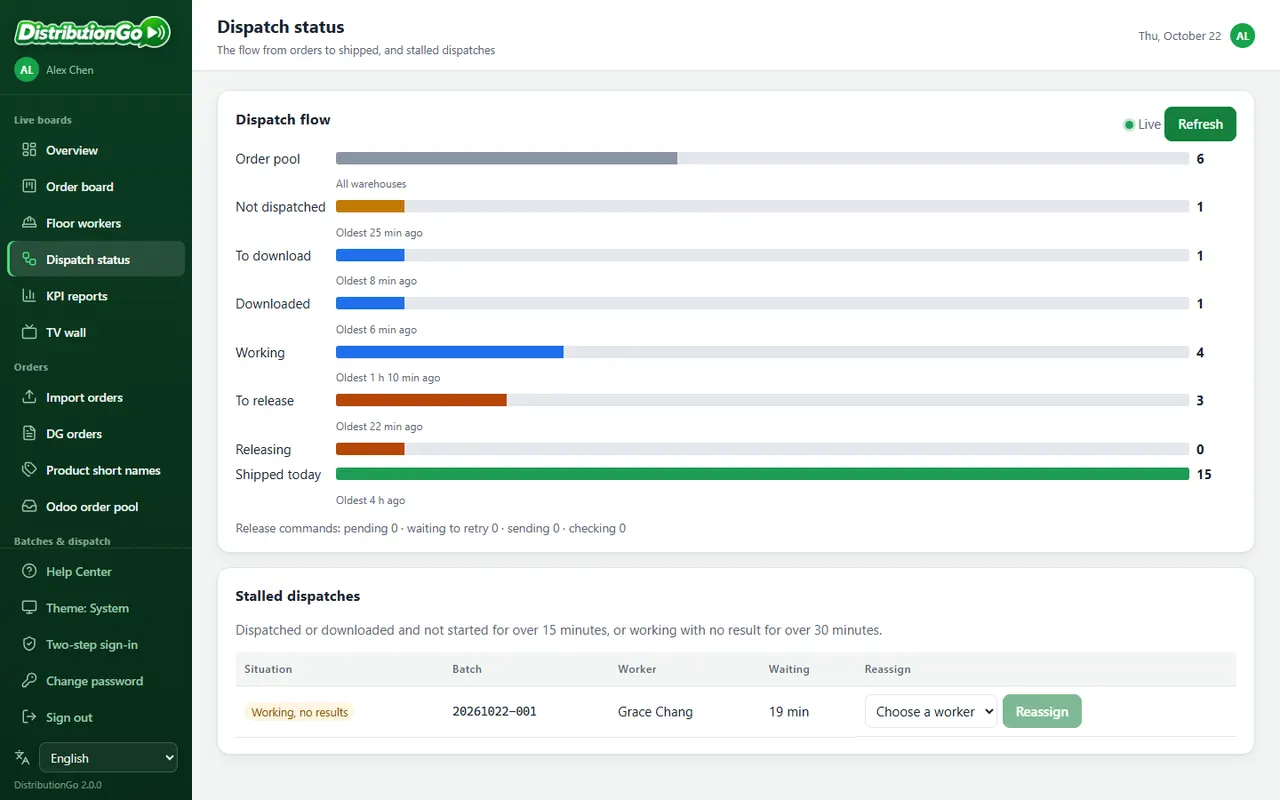
Assign to a person
Choose the batch and the person; the work lands in My Work in their SortingGo App.
Read the guideReassign at any time
When someone is away or overloaded, hand unfinished work to someone else.
Read the guideLive progress
The app reports each finished line, so nobody has to walk the floor to ask.
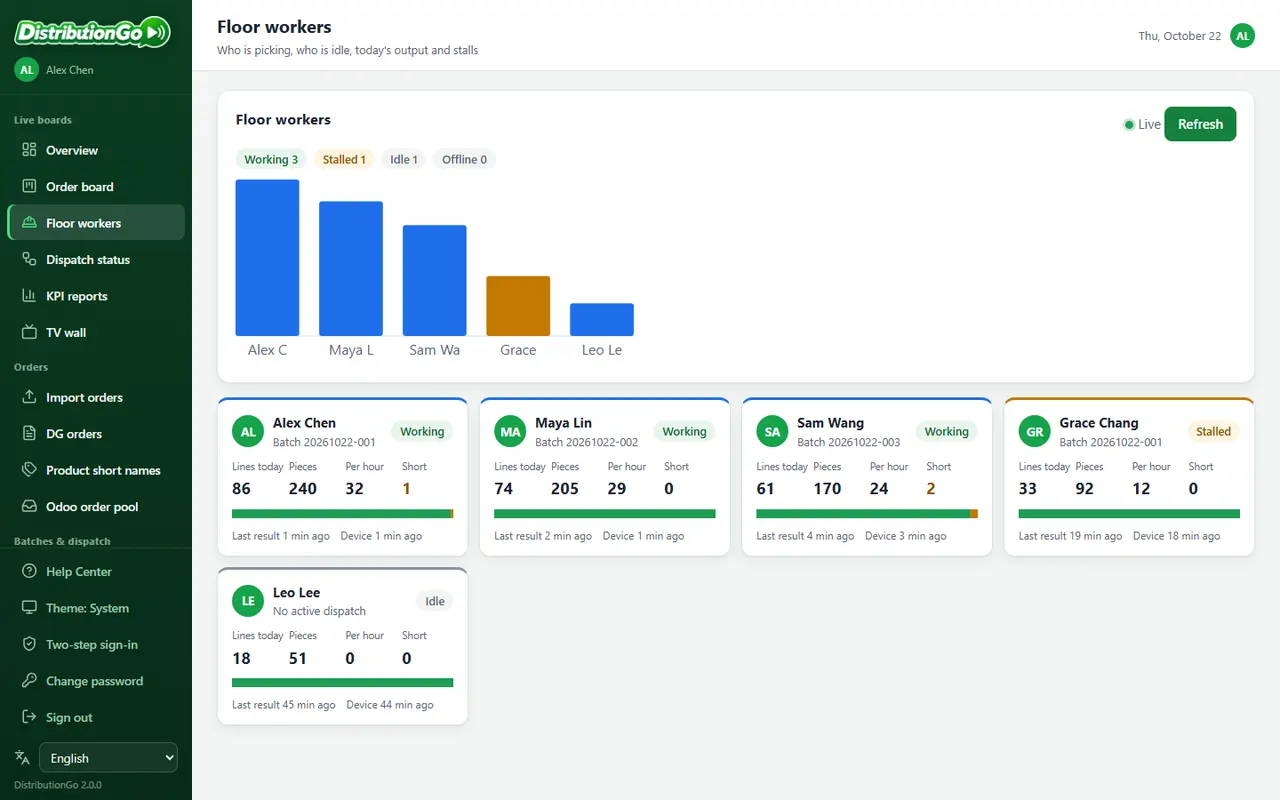
Floor team
Who is online, which job they are on, and how long since they last reported.
Read the guideTask details
Ordered, allocated and picked quantities line by line, with short picks clearly marked.
Read the guideDashboards, reports and TV wall
From today's completion rate to monthly trends, for managers and the floor alike.
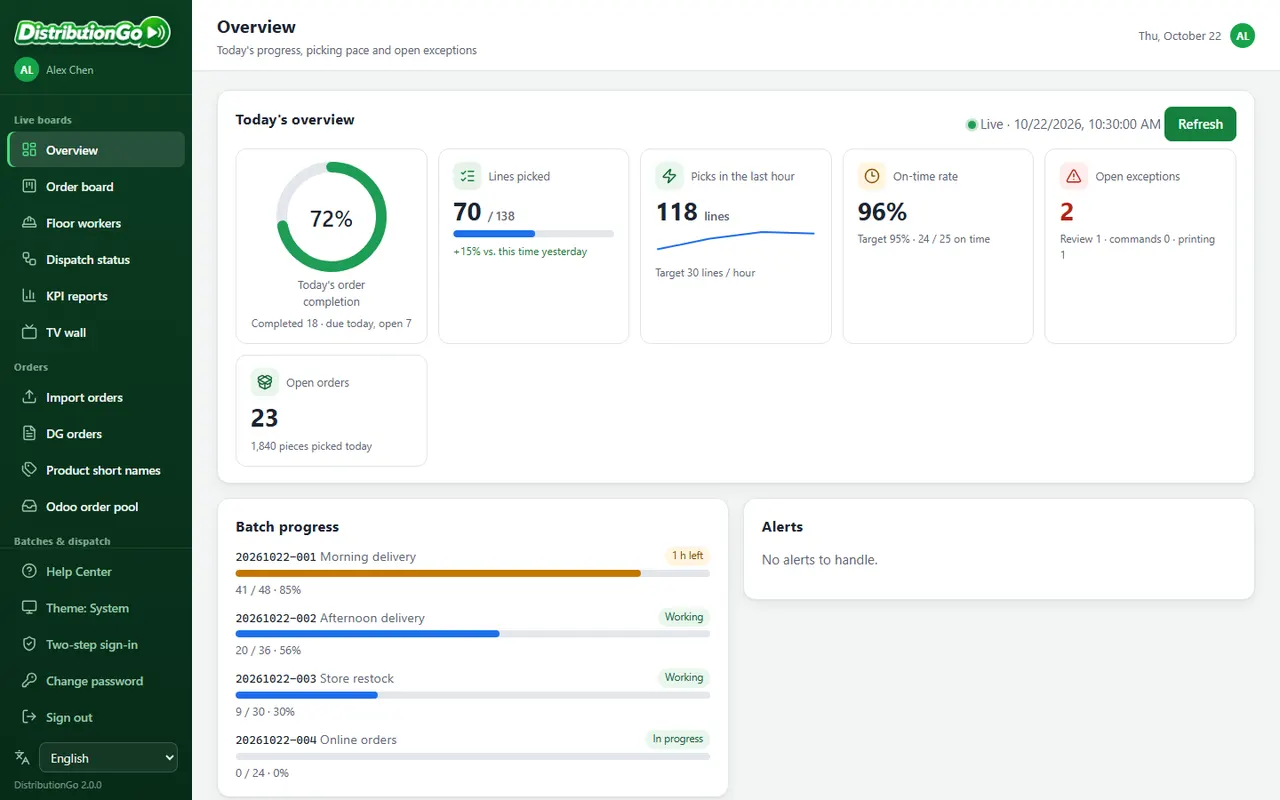
See your warehouse in motion (75 seconds)

Recorded in a test environment with demo data, using a development build of the app.
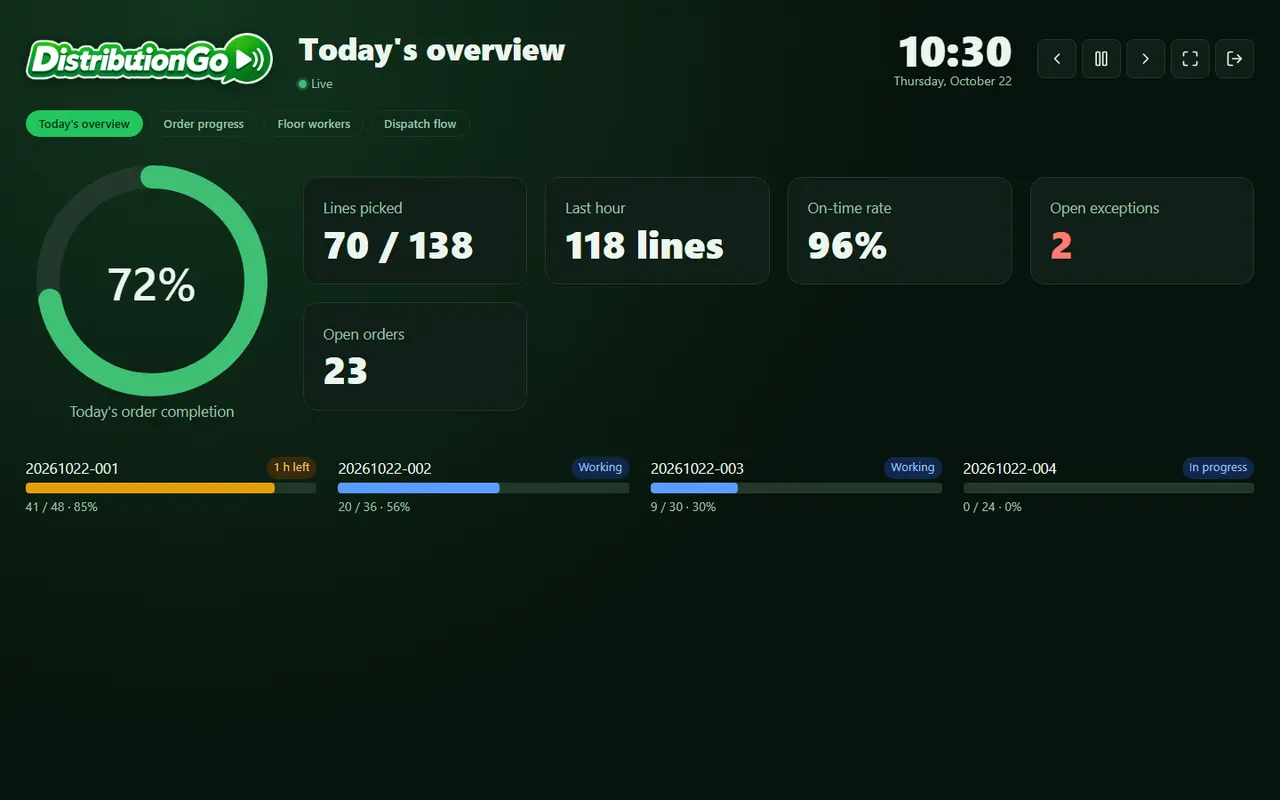
TV wall
Rotate progress on a big screen or tablet on the floor, with a read-only account.
Read the guideMultiple warehouses
Switch warehouse from the top bar, or compare warehouses side by side.
Read the guideOrder preparation and allocation
No ERP needed to start: import or add orders, then batch and allocate.
Import orders
Excel/CSV with the same templates and marketplace formats as SortingGo; preview before importing.
Read the guideBatches and allocation
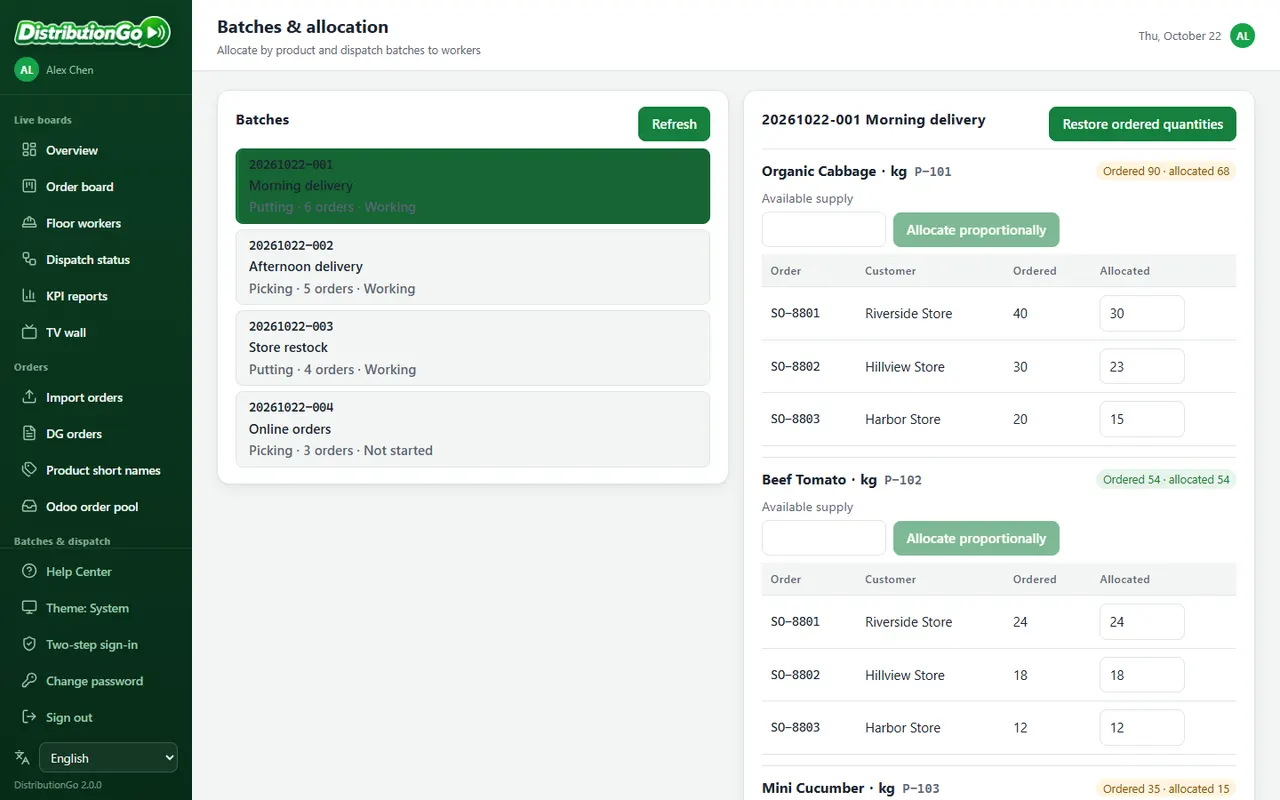
Allocate by available stock with the same largest-remainder method as SortingGo; lines allocated 0 are not dispatched.
Read the guidePicking from an Excel list? Read SortingGo's practical guide
Release and status tracking
Finished in the app is not shipped yet: review short picks, then release, with every step visible.
Short-pick review and release
Release once the picked quantities are checked, keeping a backorder or not.
Read the guidePosting and printing status
Posting and label printing are tracked separately; reprint any label.
Read the guideCheck before retrying
If a connection drops, the result is checked against a receipt first, so nothing ships twice.
Read the guideAccounts, devices and permissions
Control who can see and do what, by role and warehouse.
Users and permissions
Add, disable and reset users, with access by role and warehouse.
Read the guideDevice pairing
Phones and tablets connect to DistributionGo with pairing details and sign in.
Read the guideERP integration
Warehouses already on an ERP can read its deliveries directly. Odoo 19 Community comes first (self-hosted or Odoo.sh, with the DistributionGo module installed); Odoo Online is not supported.
The Odoo integration in 90 seconds

Recorded in a test environment with demo data, using a development build of the app.
Odoo order pool
Read deliveries Odoo has ready, batch and dispatch them, and write the shipment back.
Read the guideConnection health
The System page shows ERP connection, module version and key-expiry reminders.
Read the guideRequires SortingGo App 2.0.0 or later on a Standard plan or higher. DistributionGo itself is free; your floor team receives work and reports progress in the SortingGo App.